GUI for Redis-Compatible Servers on iPhone
CacheDeck is a native iOS app that gives you a full visual GUI for Redis-compatible servers, right on your iPhone. Every screen, gesture, and interaction is designed for iOS from the ground up, built with SwiftUI for iOS 17+, with no browser shell and no remote desktop session in the path.
Visual key browser
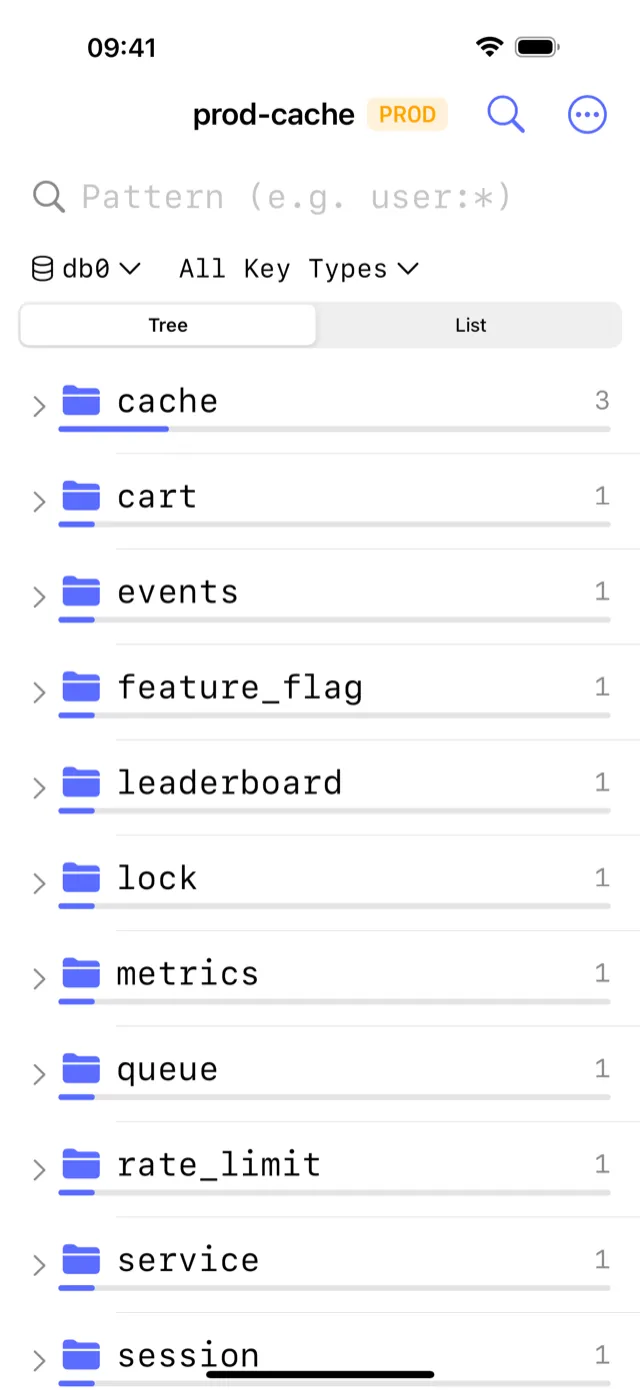
The key browser is where you spend most of your time. Connect to any Redis-compatible server and your keyspace appears as a navigable tree. Filter by glob pattern to narrow thousands of keys down to the ones you want. Tap any key to inspect its value, TTL, and encoding inline: no separate views to open, no copy-paste into a terminal.
Pattern search works the same way you'd use SCAN MATCH on the CLI, but results appear as a live, scrollable list that you can act on immediately. The browser handles keyspaces of any size without loading everything into memory at once.
Edit any data type
CacheDeck supports in-place editing for every data structure on Redis-compatible servers:
- Strings: view and update values directly; toggle between raw, JSON-pretty, and hex views.
- Hashes: add, edit, or delete individual fields without rewriting the entire hash.
- Lists: push or pop elements, edit by index, inspect the full list with pagination.
- Sets: add and remove members; scan large sets with pattern filtering.
- Sorted sets: edit members and scores, sort by rank or score range.
- Streams: browse entries by ID range, inspect field-value pairs per entry.
CacheDeck applies each change to the server as you make it. There is no staging area or intermediate format: what you type goes to Redis using the correct command for each type.
Native vs web-based GUIs
Most GUI tools for Redis-compatible servers available to iPhone users are either web dashboards (accessed through Safari) or remote-desktop setups that mirror a desktop screen. Both approaches share the same core problem: the interface was never designed for touch. Buttons are too small, text entry is awkward, and network latency makes every interaction feel sluggish.
A native iOS app has direct access to the iOS Keychain for credential storage, supports Face ID and Touch ID for authentication, and renders at full display resolution with fluid 120 Hz scrolling on supported devices. CacheDeck also supports Pub/Sub Monitor, a CLI Console for running raw commands, and a Server Stats dashboard, features that are impractical to use well in a browser on a small screen.
CacheDeck works with any server that speaks the RESP2 or RESP3 protocol: Redis 6+, Valkey, and KeyDB are all compatible.
Security built in
Production databases are rarely reachable on a public port, and they should not be. CacheDeck handles the two most common secure-access patterns out of the box:
- SSH Tunnels: connect through a bastion host using Ed25519 or RSA keys. Private keys are stored exclusively in the iOS Keychain and never leave the device in plaintext.
- TLS / mTLS: connect to servers that require encrypted transport, including mutual TLS with client certificates for environments that enforce it.
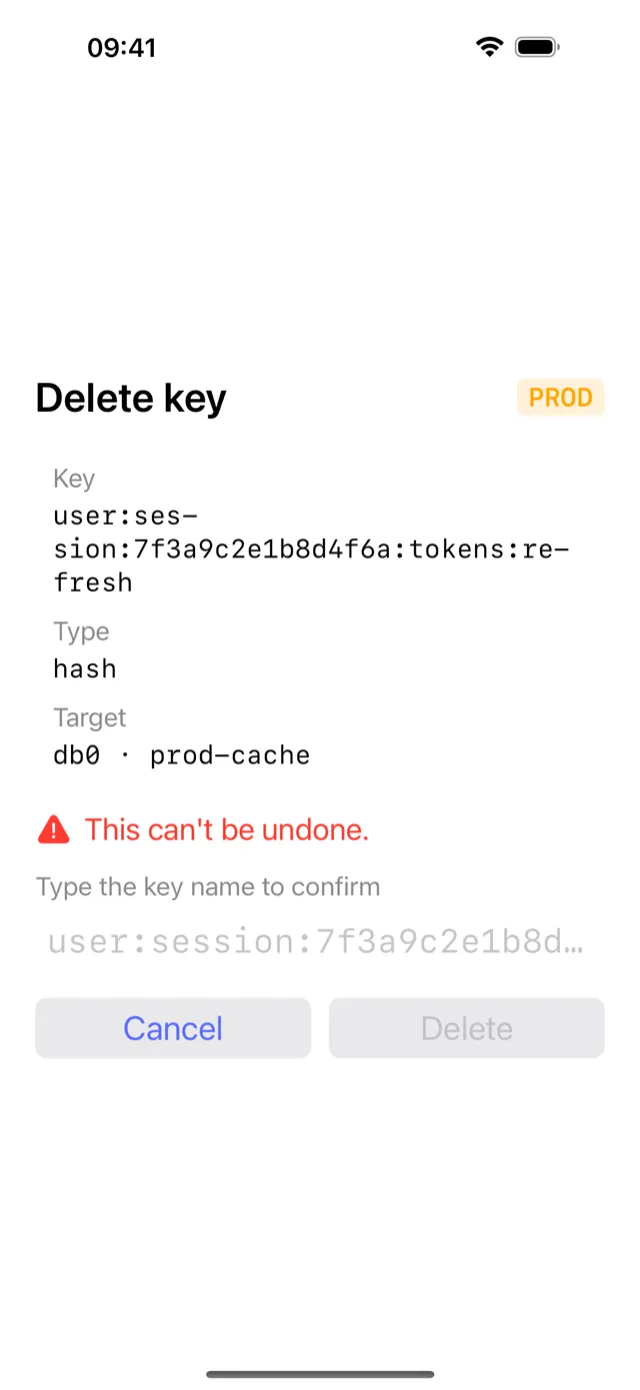
For extra safety, the PROD classifier detects hostnames that match production patterns (configurable). Any write or delete operation on a flagged connection requires an explicit confirmation step, which is what catches a fat-finger tap on a touch screen.
Pricing and availability
CacheDeck is free to download, with a one-time $4.99 Pro unlock, no subscription, no monthly fee, no feature tiers. Pay once and use it on all your personal iPhone devices. The app requires iOS 17 or later.
CacheDeck is live on the App Store free, with a one-time $4.99 Pro unlock for writes. Questions before buying? Email support@cachedeck.com.
More from CacheDeck
Learn more about the full feature set on the CacheDeck overview page, see real-time server monitoring and Pub/Sub, or read the CacheDeck blog for deeper technical write-ups on Redis workflows, iOS development, and on-call tooling for mobile.