Monitor Redis-Compatible Servers from iPhone
An incident alert fires at 2 a.m. Your laptop is across the room. With CacheDeck you can open your iPhone, connect to any Redis‑compatible server over SSH or TLS, and know within seconds whether memory is spiking, hit rate has collapsed, or a rogue client flood is underway, then go back to sleep. No VPN client to configure, no laptop required.
Server stats at a glance
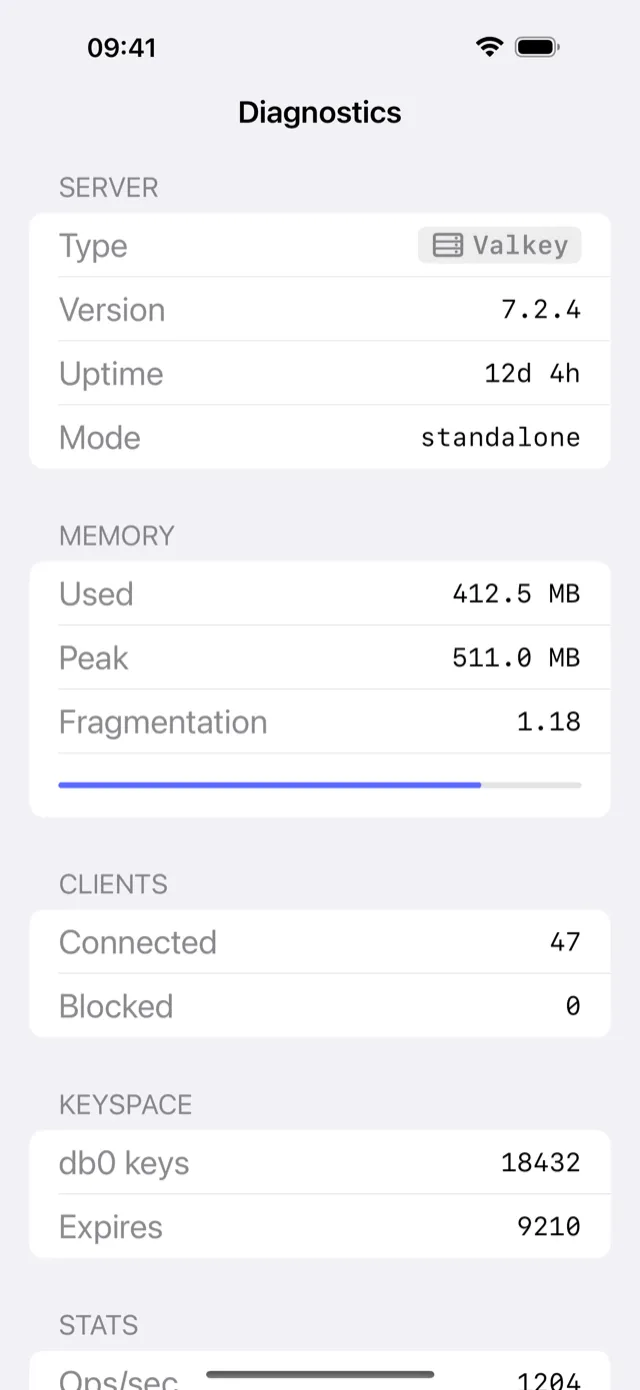
CacheDeck's Server Stats screen surfaces the numbers that matter most during an incident: memory usage and fragmentation ratio, keyspace hit rate, connected client count, and per-database keyspace statistics. Metrics refresh on demand with a single tap, or automatically on a configurable timer so you can watch trends without touching the screen. No redis-cli INFO required: everything is parsed, formatted, and readable on a phone display in portrait or landscape.
Pub/Sub monitoring on iPhone
Subscribe to one or more channels and watch messages stream in real time directly inside the app. CacheDeck's Pub/Sub Monitor lets you filter by channel pattern, timestamp messages as they arrive, and pause the stream to inspect a specific payload, all without leaving your iPhone. This makes it practical to validate event pipelines, confirm that a background job published its completion signal, or debug a silent channel during an on-call window.
Browse and inspect keys remotely
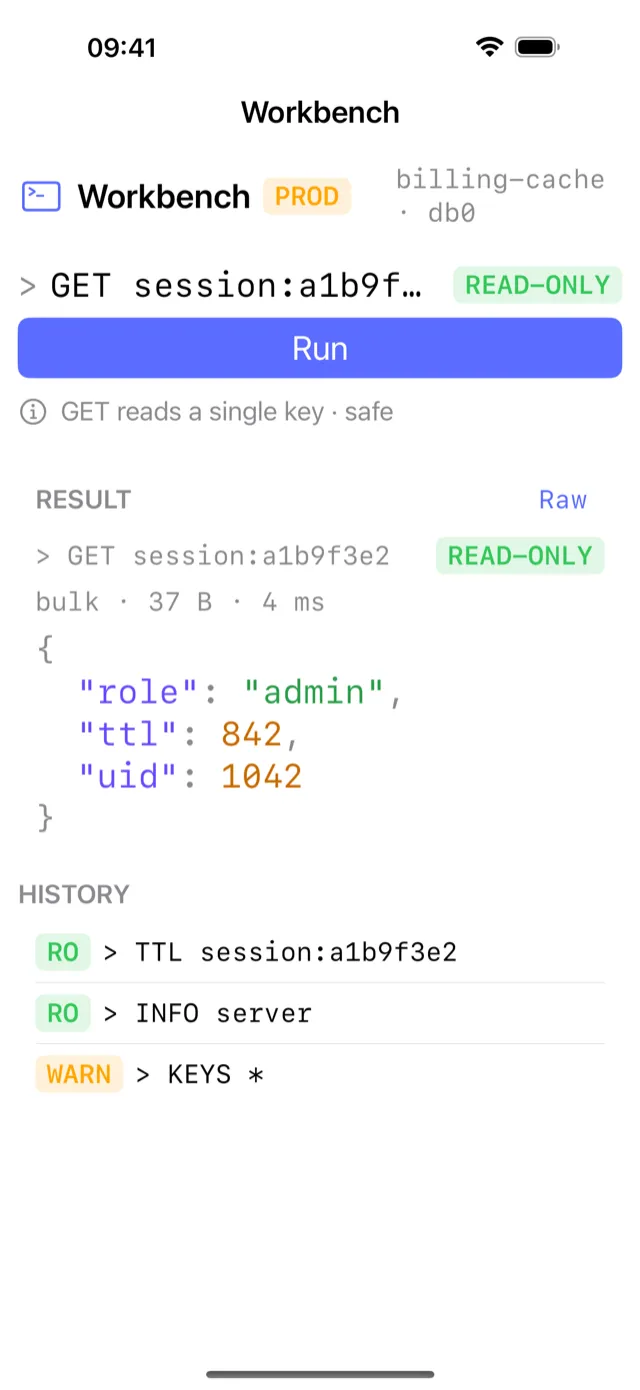
The Key Browser supports glob-style pattern matching against millions of keys using the SCAN cursor, safe for production because it never blocks the server. Tap any key to see its type (string, hash, list, set, sorted set, stream), its remaining TTL in human-readable form, its serialized size, and its value. You can search for session:*, cache:user:42:*, or any other pattern from the keyboard without opening a desktop tool.
Safe monitoring: production write protection
CacheDeck lets you label any connection as PROD. Once the classifier is active, every write command (SET, DEL, FLUSHDB) waits for an explicit confirmation tap before it reaches the wire. The label shows on every screen for that connection, so you always know which environment you are looking at. You get full observability, and an accidental delete during an incident takes two deliberate taps.
Secure remote access via SSH tunnel and TLS
CacheDeck connects to Redis‑compatible servers over a native SSH tunnel (password or private key) or directly with TLS, no third-party relay, no data leaves your infrastructure. Both connection modes work over cellular, making it practical to monitor a production cluster from anywhere with an LTE signal. Connections are stored encrypted in the iOS Keychain and are never synced to any external service.
Get CacheDeck
CacheDeck is an iOS 17+ app by Vladimir Chemeris, available on the App Store for a free download with a one-time $4.99 Pro unlock, no subscription.
Learn more on the CacheDeck overview page, see the visual key browser and editor, or read the CacheDeck blog for technical write-ups on Redis observability for mobile engineers.
Redis is a registered trademark of Redis Ltd. CacheDeck is not affiliated with or endorsed by Redis Ltd.