Azure Cache for Redis: iPhone Client
CacheDeck is a native iPhone app for inspecting and debugging Redis-compatible servers, including Azure Cache for Redis. Azure Cache for Redis supports TLS natively. CacheDeck connects directly over TLS 1.2/1.3 using the Azure-issued DigiCert CA, which iOS already trusts. No bastion host required for Azure Cache; for private-endpoint deployments inside a VNet, CacheDeck's built-in SSH tunnel reaches it through a jump server.
Azure Cache for Redis connection methods
Azure Cache for Redis exposes a public endpoint by default on port 6380 (TLS) or 6379 (non-TLS, deprecated). For most tiers, you connect directly from CacheDeck without a tunnel. Azure enforces TLS, and iOS trusts the DigiCert Global Root CA that backs Azure's certificate.
For Private Endpoint deployments (Premium tier), the cache is only reachable inside your VNet. Use CacheDeck's SSH tunnel through an Azure VM bastion the same way you would with ElastiCache.
Connecting to Azure Cache for Redis from iPhone
- Get your connection details. In the Azure portal, open your Azure Cache for Redis resource → Overview. Copy the Host name (e.g.
myredis.redis.cache.windows.net) and note the SSL port (6380). - Copy the access key. Go to Access keys in the portal. Copy the Primary connection string or the Primary key: this is the AUTH password for CacheDeck.
- Open CacheDeck and tap +. Enter the host name from step 1 and port
6380. - Enable TLS. Toggle Use TLS. Azure Cache for Redis uses a certificate issued by DigiCert, which iOS trusts by default: no custom CA upload needed for the standard (public) endpoint.
- Set the AUTH password. In the Auth Password field, paste the primary key from step 2.
- Connect. Tap Connect. CacheDeck opens a TLS session to Azure and authenticates with the key. The key browser loads your keyspace immediately.
For Private Endpoint deployments, additionally enable Use SSH Tunnel (step 3) and configure your Azure VM bastion before setting the TLS options above.
Azure Cache tiers and CacheDeck compatibility
| Tier | Public endpoint | Private endpoint | CacheDeck access |
|---|---|---|---|
| Basic / Standard | Yes (TLS) | No | Direct TLS, no tunnel needed |
| Premium | Yes (TLS) | Optional | Direct TLS; SSH tunnel for Private Endpoint |
| Enterprise / Enterprise Flash | Yes (TLS) | Optional | Direct TLS; SSH tunnel for Private Endpoint |
Cluster mode: Azure Cache for Redis Enterprise supports Redis Cluster mode. CacheDeck connects with full slot routing and displays the cluster topology. Enter any node endpoint and CacheDeck discovers the full cluster via CLUSTER SHARDS automatically.
What CacheDeck gives you on Azure Cache
- Key browser: navigate and search all keys with pattern matching (SCAN-based), TTL display, and value inspection for all data types
- In-place editing: edit strings, hashes, lists, sets, sorted sets directly; PROD connections require confirmation before any write
- CLI console: run any Redis command; autocomplete and command history included
- Pub/Sub monitor: subscribe to Azure-hosted channels and watch messages in real time
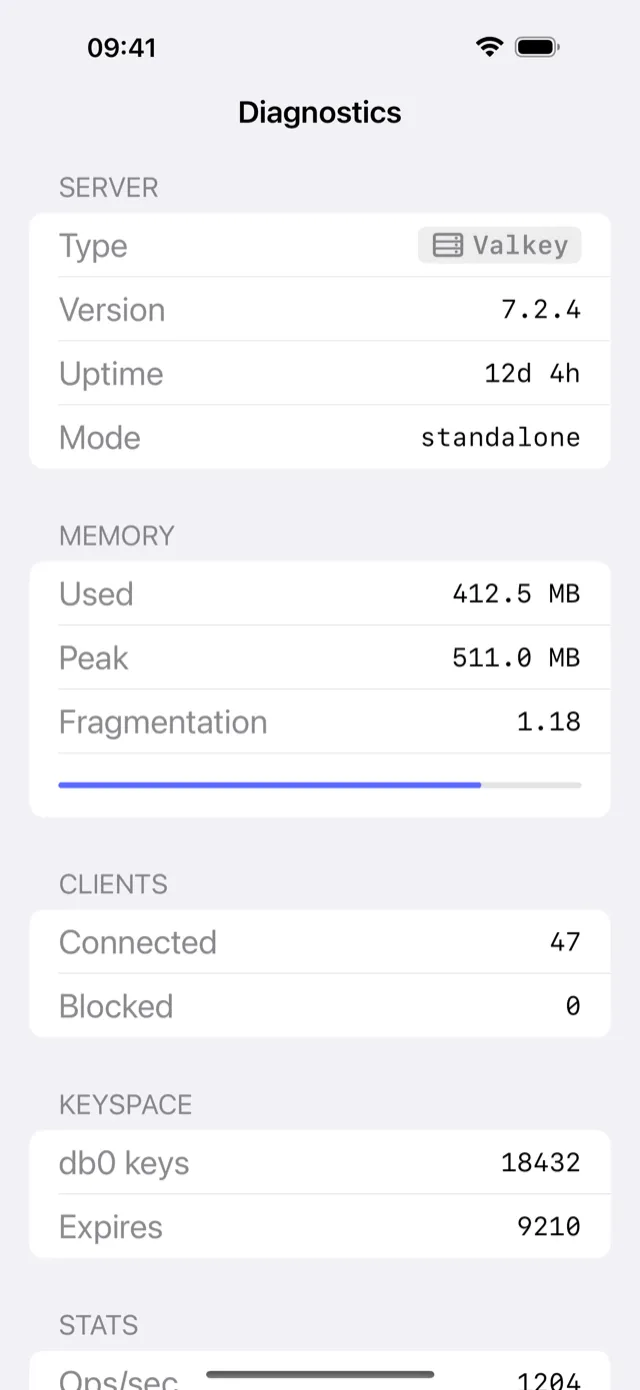
- Server stats: memory usage, hit rate, connected clients, keyspace stats
- TLS 1.3: CacheDeck uses TLS 1.2 minimum, TLS 1.3 where available; certificates stored in iOS Keychain
Production safety
Azure Cache for Redis in production carries the same risk as any Redis server. CacheDeck auto-detects production connections when the name or hostname contains prod, production, or prd. Connections tagged PROD require an extra confirmation tap before any write command, so an accidental FLUSHDB on the Azure production cache cannot happen with a single swipe.
Pricing
CacheDeck is free to download, with a one-time $4.99 Pro unlock: no subscription, no per-connection fee, all future updates included. iOS 17.0 or later required.
CacheDeck is on the App Store
Free to try, $4.99 Pro unlock. No subscription. iOS 17+.
Download on the App StoreLearn more: Full feature overview ·AWS ElastiCache on iPhone ·Upstash on iPhone ·How to connect Redis with TLS from iPhone
Redis is a trademark of Redis Ltd. Microsoft Azure and Azure Cache for Redis are trademarks of Microsoft Corporation. CacheDeck is not affiliated with Redis Ltd. or Microsoft Corporation.