Upstash Redis Client for iPhone
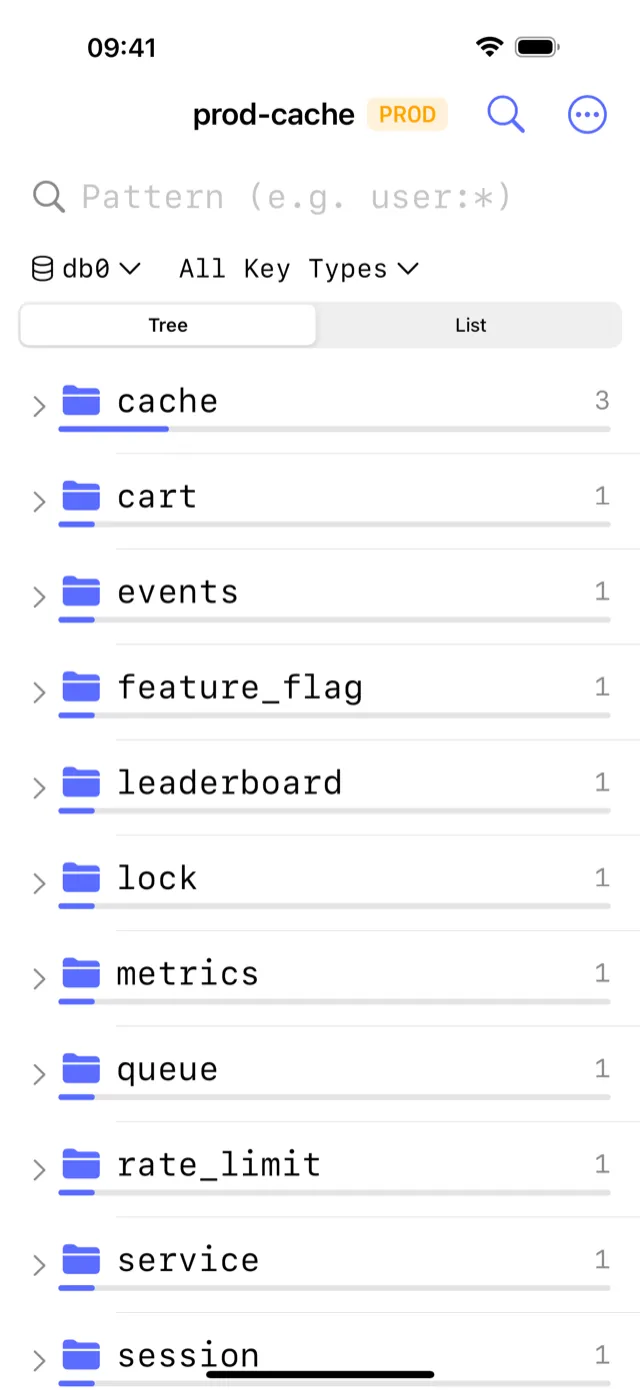
CacheDeck is the native iPhone app for browsing, inspecting, and debugging Redis-compatible servers, including Upstash Redis. Because Upstash is a standard Redis-compatible serverless cache, CacheDeck connects to it over TLS with no extra configuration. Browse your keyspace, check TTLs, run commands, and monitor Pub/Sub channels from your iPhone without touching a laptop.
What is Upstash?
Upstash is a serverless Redis-compatible data store billed per request. Developers reach for it when they need Redis without running a server, in edge functions, Next.js apps, and serverless backends. Upstash enforces TLS-only connections and exposes a standard Redis endpoint on port 6380.
CacheDeck works with Upstash because both speak the same Redis Serialization Protocol (RESP). There are no Upstash-specific SDKs or HTTP APIs involved: CacheDeck uses the same RESP2/RESP3 wire protocol that any Redis client uses.
Connecting CacheDeck to Upstash
Upstash requires TLS. The connection takes under a minute to set up:
- Copy your Upstash endpoint. In the Upstash console, open your database and copy the Endpoint (e.g.,
us1-xxxx.upstash.io) and the Password. - Open CacheDeck and tap +. Create a new connection. Enter the Upstash endpoint as the host and
6380as the port. - Enable TLS. In the Security section, toggle Use TLS on. Upstash uses a public CA certificate, so no custom CA upload is needed.
- Enter your password. Paste the Upstash database password in the Auth Password field.
- Connect. Tap Connect. CacheDeck negotiates TLS 1.3 and connects to your Upstash Redis database.
What you can do with Upstash in CacheDeck
- Browse keys: visual key browser with pattern search, TTL display, and value inspection for strings, hashes, lists, sets, sorted sets, and streams
- Run commands: built-in CLI console with autocomplete; run any Redis command against your Upstash database
- Monitor Pub/Sub: subscribe to channels and watch messages arrive in real time
- Check server stats: memory usage, hit rate, connected clients, and keyspace stats
- Edit values: in-place editing for all key types; write protection on PROD-tagged connections
Production safety on Upstash
Upstash databases often hold production data. CacheDeck's safety classifier automatically tags connections as PROD when the connection name or hostname matches patterns like prod, production, or prd. On PROD-tagged connections, every write command (SET, DEL, FLUSHDB) requires an extra confirmation tap before executing. Read commands proceed without friction.
Pricing
CacheDeck is free to download, with a one-time $4.99 Pro unlock on the Apple App Store, no subscription, no per-connection fee. All future updates are included. iOS 17.0 or later required.
CacheDeck is on the App Store
Free to try, $4.99 Pro unlock. No subscription. iOS 17+.
Download on the App StoreLearn more: Full feature overview ·AWS ElastiCache on iPhone ·Azure Cache for Redis on iPhone ·Connecting to Redis over TLS from iPhone
Redis is a trademark of Redis Ltd. Upstash is a trademark of Upstash, Inc. CacheDeck is not affiliated with Redis Ltd. or Upstash, Inc.