What is KeyDB?
KeyDB is an open-source, multithreaded fork of Redis originally created by Snap Inc. Its key technical difference from Redis: KeyDB uses multiple threads to process commands concurrently, achieving higher throughput on multi-core hardware without requiring Redis Cluster sharding for write-heavy workloads.
KeyDB is fully wire-compatible with Redis. It speaks RESP2 and RESP3, the same protocols Redis uses, which means any Redis client works with KeyDB without modification. All Redis data types are supported identically: String, Hash, List, Set, Sorted Set, and Stream.
Connecting CacheDeck to KeyDB
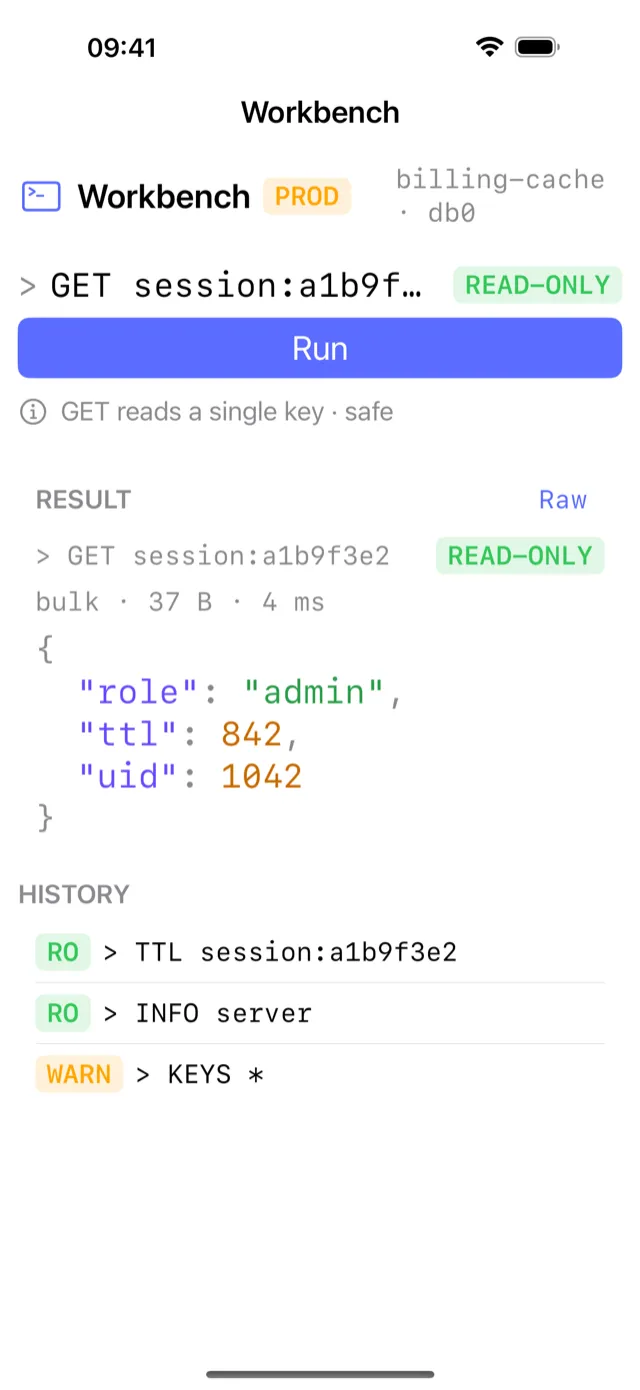
Because KeyDB uses the same RESP protocol as Redis, the connection flow in CacheDeck is identical.
Direct connection (no tunnel)
If your KeyDB server is reachable from the internet (dev or staging environment):
- Open CacheDeck → tap +
- Host: your KeyDB server hostname or IP
- Port:
6379(default), or your custom port - Auth Password: the value of
requirepassin yourkeydb.conf, if set - Tap Connect
CacheDeck negotiates RESP3 if the server supports it, falls back to RESP2 automatically.
SSH tunnel (production servers)
Production KeyDB instances run on private networks. CacheDeck builds the SSH tunnel internally:
- Enable Use SSH Tunnel
- Enter your bastion host IP, port
22, and SSH username - Import your Ed25519 or RSA private key (stored in iOS Secure Enclave)
- CacheDeck opens the tunnel, then connects to KeyDB through it
The tunnel is transparent to CacheDeck’s key browser. You browse keyspace the same way regardless of whether a tunnel is active.
TLS (encrypted transport)
If KeyDB is deployed behind a TLS terminator or with native TLS:
- Enable Use TLS
- If using a private CA: export the CA certificate in PEM format and import it into CacheDeck under TLS → CA Certificate
- For mTLS: import both the client certificate and private key
Certificates are stored in the iOS Keychain.
KeyDB multi-master: inspecting multiple nodes from iPhone
KeyDB’s active replication feature allows multiple nodes to accept writes simultaneously. This is different from Redis’s single-primary model.
In a multi-master KeyDB deployment, each active node holds the full keyspace (eventually consistent). During an incident (say, a cache miss spike or unexpected key divergence), you may need to inspect two nodes side-by-side.
CacheDeck handles this by letting you save each node as a separate connection. To compare two KeyDB nodes:
- Add
keydb-node-1.internal:6379as one connection - Add
keydb-node-2.internal:6379as a second connection - Switch between them in the connection list and run the same key lookup on each
This is faster than opening two terminal sessions and running redis-cli -h ... GET key on each node manually, especially at 3 AM on a phone.
KeyDB vs Redis: what matters for mobile inspection
| Aspect | Redis | KeyDB |
|---|---|---|
| Protocol | RESP2 / RESP3 | RESP2 / RESP3 (identical) |
| AUTH | requirepass / ACL | requirepass / ACL |
| Data types | String, Hash, List, Set, ZSet, Stream | Same |
| Replication | Single primary | Multi-master (active replication) |
| Cluster | Redis Cluster | KeyDB Cluster (in development) |
| CacheDeck support | Full | Full (per-node) |
The only operational difference for CacheDeck users: KeyDB multi-master means you may have multiple writeable primaries to connect to. CacheDeck connects per-node: add each node as a named connection.
Production safety on KeyDB
CacheDeck’s safety classifier applies the same rules to KeyDB connections as to Redis. If the connection name or hostname contains prod, production, or prd, the connection is tagged PROD and every write command requires an explicit confirmation tap before executing.
Name your KeyDB production connections clearly (keydb-prod-1, keydb-prod-eu, etc.) and the classifier picks them up automatically.
Troubleshooting
“NOAUTH Authentication required”: set the Auth Password field in CacheDeck to the value of requirepass in your keydb.conf.
“WRONGPASS invalid username-password pair”: you are using ACL mode. Set both the ACL username and password in CacheDeck’s connection settings.
Connection timeout on port 6379: the server is not reachable directly. Enable SSH Tunnel and configure your bastion host.
TLS handshake error: your KeyDB TLS cert is from a private CA. Export the CA cert in PEM format and import it into CacheDeck under TLS settings.
Key count looks wrong across nodes: in active replication mode, there may be a brief replication lag between nodes. Check the same key on both nodes a few seconds apart.