If you use Another Redis Desktop Manager (ARDM) on your laptop and then get a PagerDuty alert at 2 AM, you face an immediate problem: ARDM is a desktop application. It runs on Windows, macOS, and Linux, not on iOS. There is no iPhone app, no iPad app, and no announced plan to build one.
ARDM covers the desktop well. The gap sits on the phone, and engineers fill it with something else.
What ARDM is, and a note on the name
The tool has gone through a naming evolution that causes some confusion in search results.
The original project launched around 2014 under the name Redis Desktop Manager (RDM). It was later rebranded to Another Redis Desktop Manager, abbreviated ARDM, to distance itself from the Redis trademark while signaling continuity for its existing user base. Both names refer to the same application; if you search for “redis desktop manager iphone” or “ARDM ios” you are looking for the same thing.
ARDM is free and open-source, maintained on GitHub under the qishibo/AnotherRedisDesktopManager repository. It supports:
- String, Hash, List, Set, Sorted Set data types with visual editors
- Multiple connections with per-connection color coding
- SSH tunnel via OpenSSH-style configuration
- TLS for encrypted Redis endpoints
- Cluster and Sentinel mode connections
- Built-in terminal for raw redis-cli commands
- Slow log viewer and basic server information
It is a mature tool with over 30,000 GitHub stars and regular releases. For desktop Redis access, especially for engineers who want a free, open-source alternative to paid tools, ARDM is an excellent choice.
Platforms ARDM supports, and the gap
ARDM is distributed as desktop binaries:
| Platform | Support |
|---|---|
| macOS (Intel + Apple Silicon) | ✅ |
| Windows | ✅ |
| Linux (AppImage / snap / deb) | ✅ |
| iPad | ❌ |
| iPhone | ❌ |
The application is built with Electron, which renders a desktop-style interface with sidebars, multi-tab navigation, and context menus. That architecture is powerful on a 1440p monitor but does not translate to a 390-point-wide phone display, and the Electron runtime itself does not exist on iOS. Building a native iOS version would require a full rewrite, not a port.
ARDM gives you full Redis access at your desk. Step away from the computer and you have nothing.
The on-call iPhone gap
An alert fires (a cache stampede, unexpected key expiry, session data missing) and you need to answer one question: is this key there, what does it contain, and what is its TTL?
On a desktop with ARDM open, that question takes about ten seconds to answer. On an iPhone without a purpose-built app, your options are:
- Walk to your laptop, wake it up, open ARDM, and connect
- Open a terminal emulator (Blink Shell, a-Shell), SSH to a bastion, and run
redis-climanually - Try to load a browser-based Redis UI from Safari, if one is even deployed and reachable
None of these are one-tap. Option 2 alone involves unlocking a session, navigating two hops of SSH, and typing commands into a keyboard optimized for a 6-inch screen, while an incident clock is running.
CacheDeck: native iPhone Redis access
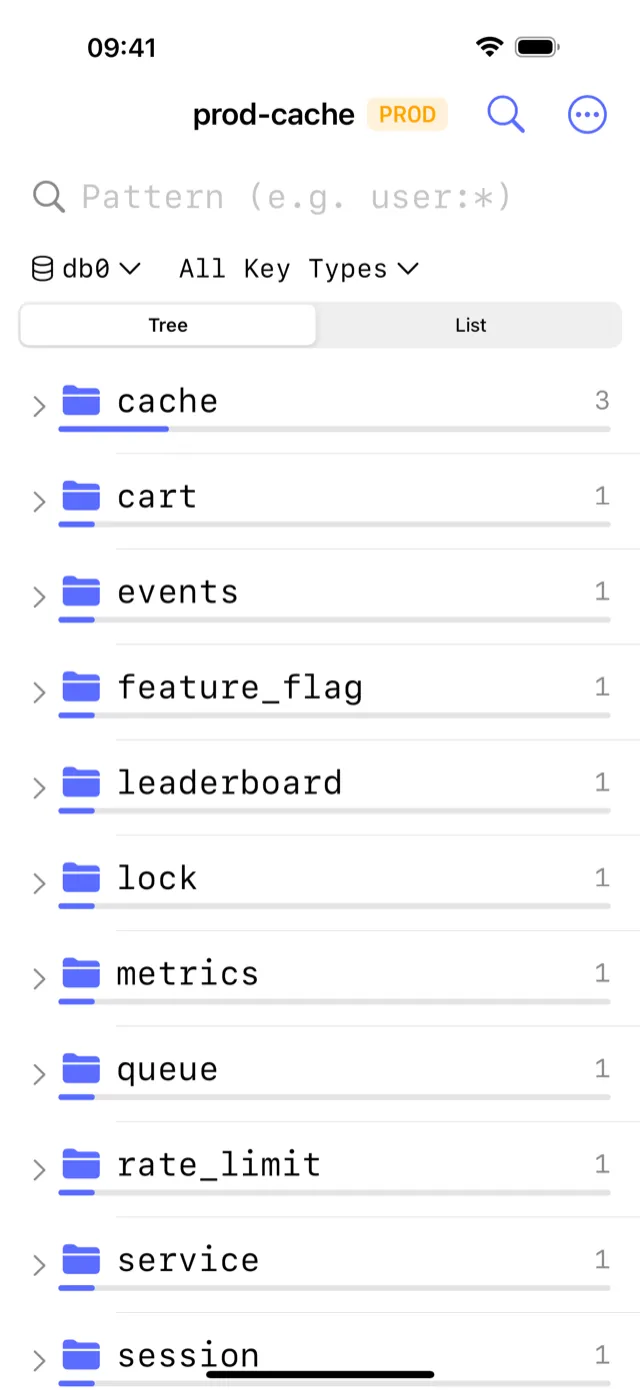
CacheDeck is a native iOS app built specifically for Redis access from iPhone. Unlike ARDM, which runs Electron on a desktop OS, CacheDeck is written in Swift with a UIKit/SwiftUI interface designed for a 6-inch display from the start.
Key capabilities:
- Visual key browser: namespace tree view with glob-pattern filtering, key type, TTL, and value displayed without typing any command
- SSH tunnel built in: configure your bastion host once; CacheDeck opens the tunnel automatically on every connect, with Ed25519 and RSA keys stored in iOS Secure Enclave
- TLS and mTLS: direct connection to ElastiCache, Azure Cache, Upstash, and any TLS Redis endpoint; client certificates stored in iOS Keychain
- CLI console: run any Redis command and inspect the raw response, with persistent command history
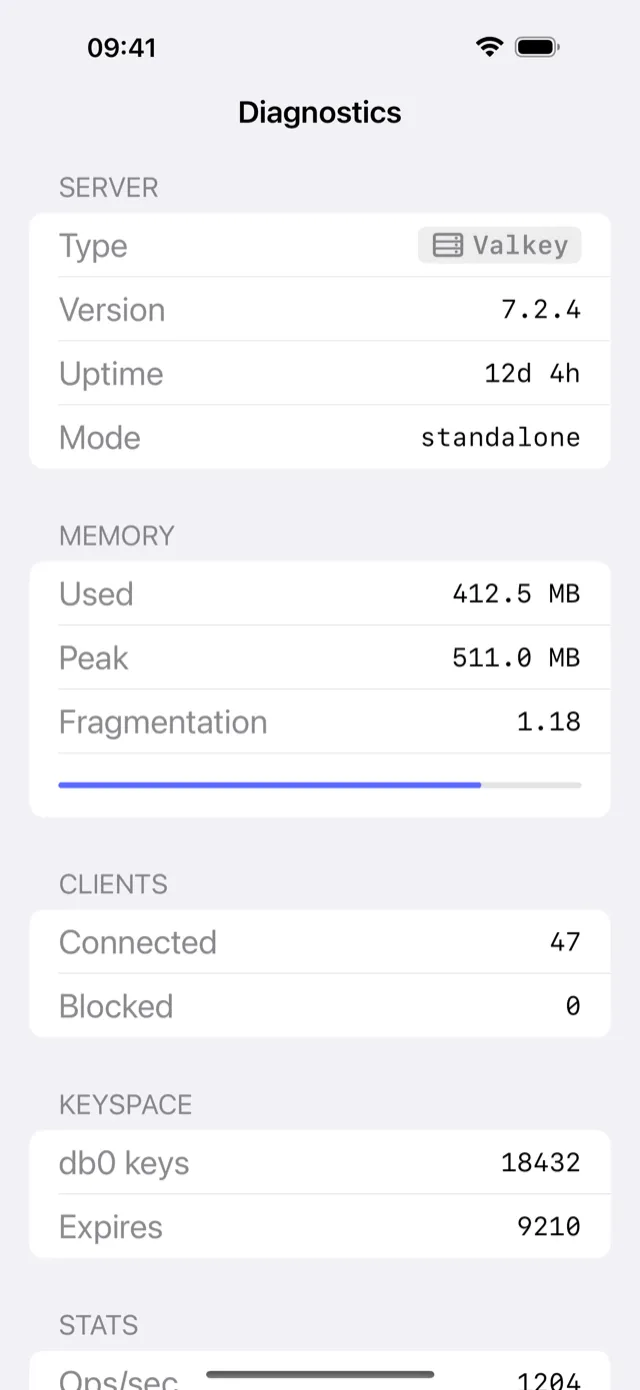
- Server stats: memory, hit rate, connected clients, and keyspace stats from
INFO, formatted to fit a phone screen
- Production safety classifier: any connection whose name or hostname contains
prod,prd, orproductionis tagged PROD in red; all writes on a PROD connection require a confirmation tap before executing
Price: Free to download. $4.99 one-time Pro unlock. No subscription. No per-connection fee.
Feature comparison: CacheDeck vs ARDM
| Feature | CacheDeck (iPhone) | ARDM (desktop) |
|---|---|---|
| iPhone support | ✅ | ❌ |
| iPad support | ✅ | ❌ |
| macOS / Windows / Linux | ❌ | ✅ |
| Visual key browser | ✅ | ✅ |
| SSH tunnel | ✅ (built in) | ✅ (built in) |
| TLS / mTLS | ✅ | ✅ |
| Cluster mode | ✅ | ✅ |
| Sentinel mode | ✅ | ✅ |
| Slow log viewer | ❌ | ✅ |
| CLI console | ✅ | ✅ |
| Server stats | ✅ | ✅ |
| Production safety guard | ✅ | ❌ |
| Open-source | ❌ | ✅ (MIT) |
| Price | Free, $4.99 Pro unlock | Free |
Where each tool fits
ARDM is the better tool for desktop Redis management. It is free, open-source, maintained, and feature-rich: Cluster topology, Sentinel mode, slow log viewer, and a polished multi-tab interface built for large screens. If you are sitting at a computer, use ARDM, or whichever desktop tool you already have in your workflow.
CacheDeck solves a narrower problem: getting to Redis from an iPhone, on demand, without touching a laptop. The feature set covers what you reach for during an incident, such as browsing keys, checking TTLs, running a targeted command, and seeing whether memory is spiking. The full analytical depth stays on the desktop.
If you have ARDM open on your Mac during the day and carry an iPhone on-call at night, the two cover different hours of the same day.
Redis is a registered trademark of Redis Ltd. CacheDeck is not affiliated with Redis Ltd. “Another Redis Desktop Manager” (ARDM) is an open-source project maintained independently; CacheDeck is not affiliated with the ARDM project or its maintainers.
Related: TablePlus alternative for iPhone · Medis alternative for iPhone · Redis client iPhone comparison · Redis client for iPhone: full feature overview