When an alert fires at 2 AM and you need to inspect a Redis key, you want a tool that opens in one tap. This comparison covers the practical ways to reach Redis from an iPhone in 2026, so you can pick before the next incident rather than during it.
The options: what engineers use
Few purpose-built native iOS Redis clients exist. The realistic options fall into four categories:
- CacheDeck: a purpose-built native iOS app
- SSH + redis-cli in a terminal emulator (Blink Shell, a-Shell, SSH Files)
- RedisInsight or another web UI accessed through the iPhone browser
- Desktop tools (TablePlus, Medis, Another Redis Desktop Manager) accessed via a Mac remotely
Each approach works, at a different cost in setup time, safety risk, and day-to-day friction.
CacheDeck
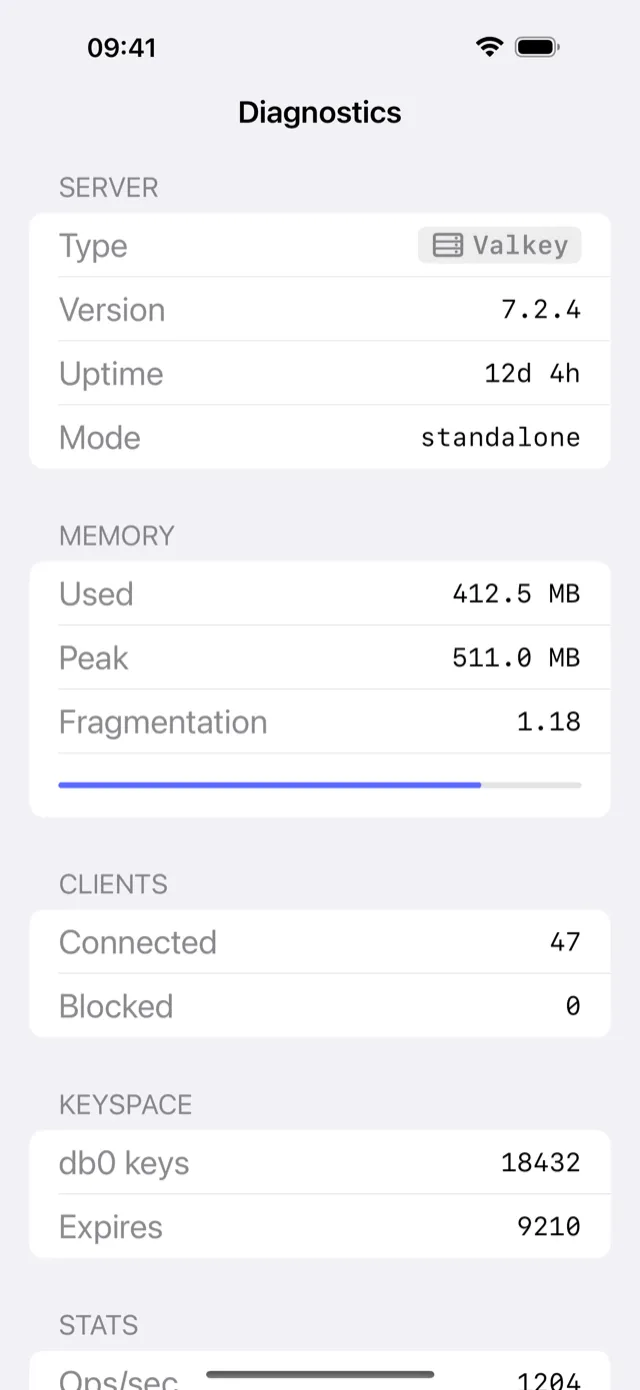
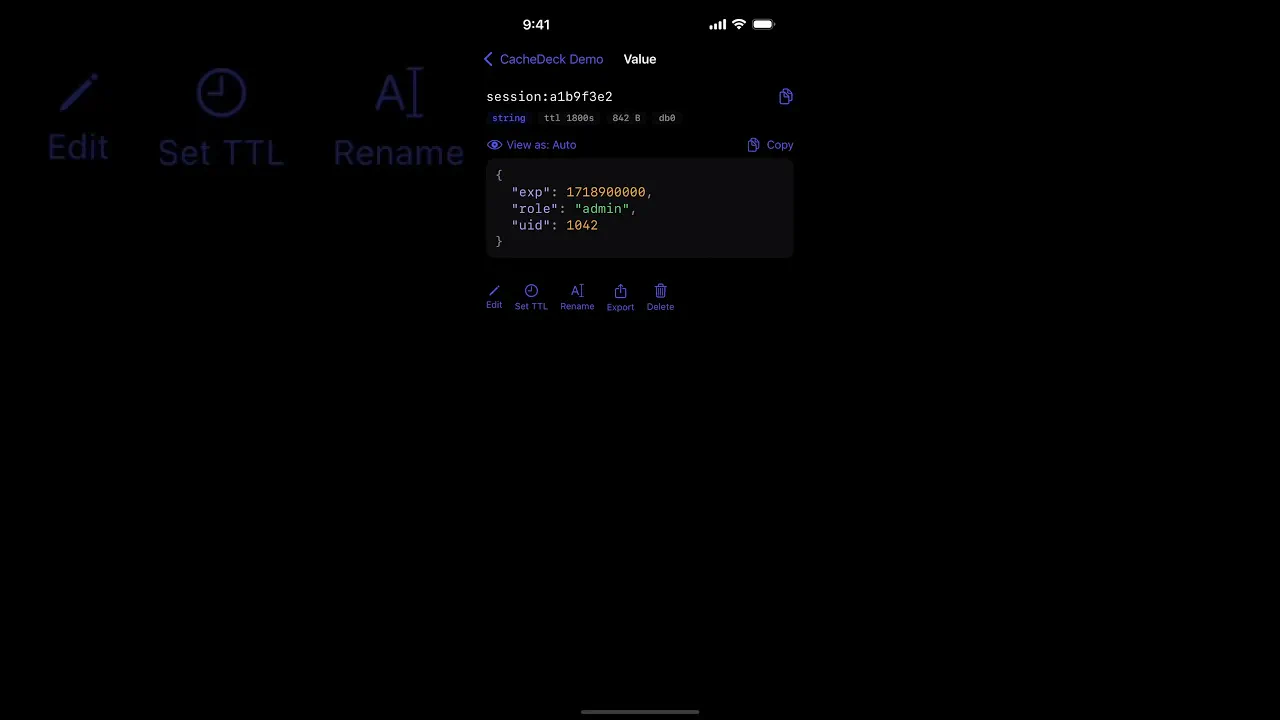
CacheDeck is the only Redis client built from the ground up for iPhone. It connects to any Redis-compatible server (Redis 6+, Valkey, KeyDB) over a direct connection or SSH tunnel, with no VPN app required.
Key capabilities:
- Visual key browser with pattern search across millions of keys (server-side SCAN cursors)
- In-place editing for strings, hashes, lists, sets, sorted sets, and streams
- SSH tunnel with Ed25519/RSA key auth via iOS Secure Enclave, no extra app
- TLS 1.3 and mTLS with client certificates stored in iOS Keychain
- Pub/Sub monitor for real-time channel debugging
- Built-in CLI console with command history and autocomplete
- Server stats: memory, hit rate, connected clients, keyspace
- Production safety classifier: PROD-tagged connections require an extra confirmation tap before any write
Price: Free to download. $4.99 one-time Pro unlock. No subscription, no per-connection fee.
What it does not do: Read routing to Sentinel replicas. Per-node memory statistics in the Cluster topology detail view.
SSH + redis-cli in a terminal emulator
Engineers already comfortable with a terminal can access Redis from iPhone using an SSH jump to a bastion host and running redis-cli directly.
How it works: Open Blink Shell (or a-Shell, SSH Files), SSH into your jump host, then redis-cli -h <redis-host> -p 6379. If Redis is on a private subnet, you run the commands through the jump host directly.
Strengths:
- Free, if you already have Blink Shell ($19.99 one-time) or use a-Shell (free)
- Full redis-cli feature coverage including Lua scripting and
DEBUGcommands - Familiar interface for engineers who live in the terminal
Weaknesses:
- Two-hop connection setup on every incident (SSH → jump host → redis-cli)
- No visual key browser: navigating large keyspaces with
SCANin a terminal is slow - No built-in production safety guard: a
FLUSHDBwith no confirmation dialog - Blink Shell requires an active SSH session; if the phone sleeps, the session drops
- Credentials for the jump host must be configured separately
Best for: Engineers who already use Blink Shell daily and rarely need Redis access from mobile.
RedisInsight (web UI on iPhone browser)
Redis Ltd.’s RedisInsight is a browser-based GUI that runs on your server or localhost. You can access it through Safari on iPhone if you tunnel or expose the port.
How it works: RedisInsight (v2) runs as a local server on port 5540. To access it from iPhone, you either expose it through a reverse proxy or use an SSH port-forward from a terminal emulator to tunnel localhost:5540 to your iPhone browser.
Strengths:
- Free to download: source-available under Redis Source Available License v2 (RSALv2) for v2+
- Rich interface on desktop: command builder, slow log, memory analysis
- Supports Redis Cluster and Sentinel
Weaknesses:
- Not designed for mobile: the Safari rendering at iPhone viewport is cramped and requires constant pinch-to-zoom
- Requires the RedisInsight server to be running and reachable from your iPhone network
- The tunnel-to-iPhone-browser workflow adds significant setup steps during an incident
- No offline access: requires a live connection to the server running RedisInsight
Best for: Desktop use where you already have RedisInsight deployed. It is not a practical on-call iPhone tool.
Desktop Redis clients (TablePlus, Medis, ARDM) via remote desktop
TablePlus (macOS/iPad), Medis (macOS), and Another Redis Desktop Manager (macOS/Windows/Linux) are excellent desktop tools. Some engineers use them on iPhone by remoting into their Mac with Jump Desktop or Screen Sharing.
Strengths:
- Feature-complete: Cluster, Sentinel, scripting, slow log, memory profiler
- Familiar interface if you use these daily on desktop
Weaknesses:
- Remote desktop on a 6-inch screen at 2 AM is uncomfortable
- Requires your Mac to be on, connected, and accessible remotely
- Latency of remote desktop on top of Redis latency makes debugging slow
- Adds a dependency on your laptop being awake, not ideal for on-call
Best for: Situations where you have your Mac nearby but no keyboard access. Not a standalone mobile strategy.
Feature comparison table
| Feature | CacheDeck | SSH + redis-cli | RedisInsight (browser) | Desktop via remote |
|---|---|---|---|---|
| Native iPhone app | ✅ | ❌ | ❌ | ❌ |
| One-tap connect | ✅ | ❌ (2-hop SSH) | ❌ (tunnel setup) | ❌ (remote desktop) |
| Visual key browser | ✅ | ❌ | ✅ (cramped) | ✅ |
| SSH tunnel built in | ✅ | ✅ (manual) | ❌ | ❌ |
| TLS / mTLS | ✅ | ✅ (via redis-cli flags) | ✅ | ✅ |
| Production safety guard | ✅ (PROD classifier) | ❌ | ❌ | varies |
| Redis Cluster support | ✅ | ✅ | ✅ | ✅ |
| Offline-first credentials | ✅ (iOS Keychain) | depends on app | ❌ | ❌ |
| Price | Free, $4.99 Pro unlock | free–$19.99 | free | free–$99+ |
| Designed for iPhone | ✅ | partial | ❌ | ❌ |
Which one should you use?
Use CacheDeck if you are on call, you need to inspect or debug Redis from your iPhone in under a minute, and you want a purpose-built tool that opens in one tap with your credentials already saved.
Use SSH + redis-cli if you are already fluent in the terminal, you need Lua scripting or advanced commands, and your use case is occasional rather than on-call.
Use RedisInsight if you are on a desktop and want the full GUI experience, particularly for Cluster topology visualization and slow log analysis. Do not count on it as a mobile tool.
Use a desktop client via remote desktop only if your Mac is nearby and you prefer the familiar interface over mobile-native design.
Redis Cluster and Sentinel support
CacheDeck connects to Redis Cluster using CRC16 slot routing with transparent MOVED/ASK retry. The built-in topology view shows the number of primary and replica nodes, their slot ranges, and the aggregate cluster health (OK / degraded / failover). Per-node memory statistics are not yet populated in the node detail view.
Redis Sentinel is supported with automatic master failover: if the master becomes unreachable, CacheDeck re-queries the sentinel seeds, discovers the new primary, and retries the command with no manual reconnect required. Failover is detected on the next command after master loss rather than via a background pub/sub subscription.
Redis is a registered trademark of Redis Ltd. CacheDeck is not affiliated with or endorsed by Redis Ltd.
CacheDeck: the only client for Redis-compatible servers designed from the ground up for iPhone. Free to download, $4.99 one-time Pro unlock, no subscription.
Related: How to SSH into Redis from iPhone · Connecting to Redis over TLS from iPhone · Azure Cache for Redis on iPhone · AWS ElastiCache on iPhone · Full feature overview · TablePlus vs CacheDeck · Medis vs CacheDeck · ARDM vs CacheDeck