KeyDB Client for iPhone
CacheDeck is a native iPhone app for connecting to and debugging Redis-compatible servers, including KeyDB. KeyDB speaks the same RESP2/RESP3 protocol as Redis, so CacheDeck connects to it without any special configuration. Browse keyspaces, inspect values, run commands, and monitor Pub/Sub channels directly from your iPhone.
What is KeyDB?
KeyDB is an open-source, multithreaded fork of Redis originally developed by Snap Inc. and now maintained as an independent project. Its primary difference from Redis is that KeyDB uses multiple threads to serve commands concurrently, achieving higher throughput on multi-core hardware without requiring Redis Cluster sharding.
KeyDB is fully compatible with the Redis RESP2 and RESP3 protocols, which means any Redis client (including CacheDeck) works with KeyDB without modification. All Redis data types (String, Hash, List, Set, Sorted Set, Stream) are supported identically.
Connecting CacheDeck to KeyDB
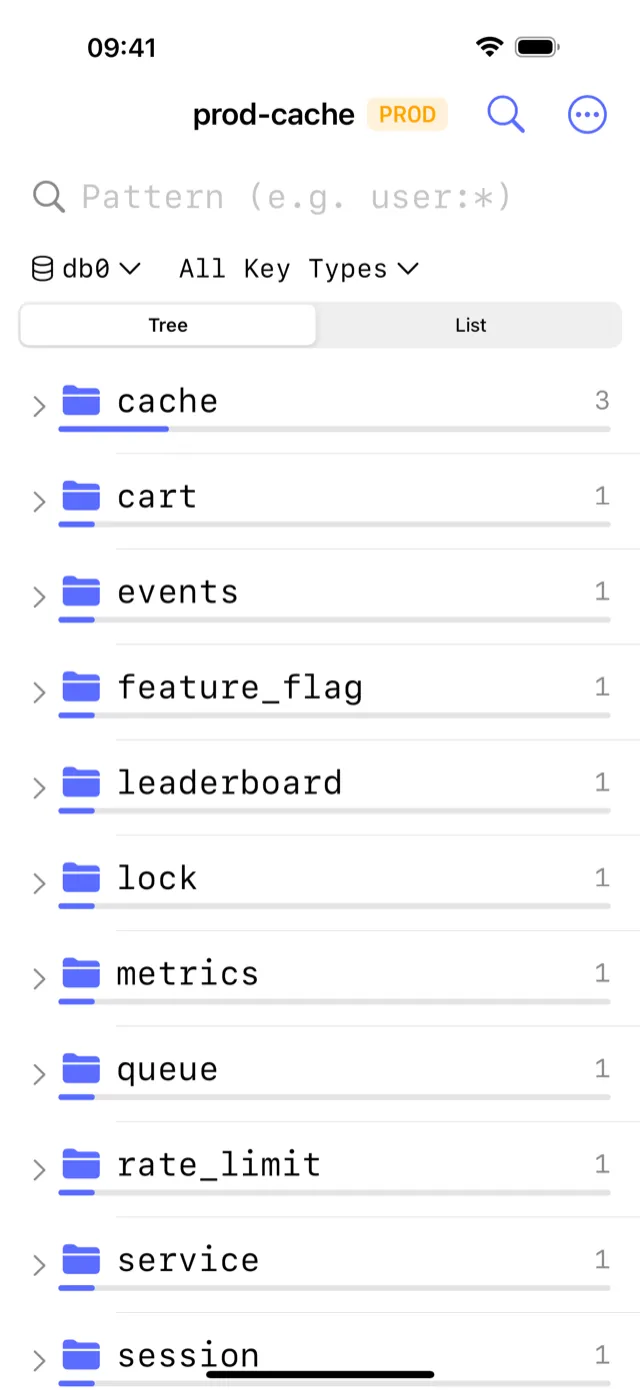
Connecting to KeyDB is identical to connecting to Redis. Open CacheDeck, tap +, and fill in:
- Host: your KeyDB server hostname or IP
- Port: default
6379, or your custom port - Auth Password: if
requirepassis set inkeydb.conf - TLS: toggle on if KeyDB is running behind a TLS terminator
CacheDeck negotiates RESP2 or RESP3 automatically. Once connected, the full key browser loads with pattern search, TTL display, and value inspection for all KeyDB-supported data types.
SSH tunnel to KeyDB from iPhone
Production KeyDB instances run on private networks. CacheDeck has SSH tunneling built in: configure a jump host, import your Ed25519 or RSA private key, and CacheDeck opens the tunnel before connecting to KeyDB. No VPN app required.
Your private key is stored in the iOS Secure Enclave and your credentials in the iOS Keychain. They never leave your device.
KeyDB multi-master on iPhone
KeyDB supports active replication (multi-master mode), where multiple KeyDB nodes accept writes simultaneously. CacheDeck connects to individual nodes: add each node as a separate saved connection and switch between them with one tap.
This is useful during incidents: you can compare keyspaces across two active KeyDB nodes directly from your iPhone to diagnose replication lag or divergence without opening a terminal.
KeyDB vs Redis: what changes for CacheDeck
| Feature | Redis | KeyDB | CacheDeck support |
|---|---|---|---|
| Wire protocol | RESP2 / RESP3 | RESP2 / RESP3 | Full, no difference |
| Data types | String, Hash, List, Set, ZSet, Stream | Same | Full, all types browsable and editable |
| AUTH | requirepass / ACL | requirepass / ACL | Both password and ACL supported |
| TLS | Supported | Supported | TLS 1.3, mTLS, iOS Keychain cert storage |
| Multi-master replication | Not available | Active replication | Connect per-node; no topology auto-discovery |
| Cluster mode | Redis Cluster | KeyDB Cluster | Connects via slot routing; topology view available |
Production safety for KeyDB
CacheDeck's safety classifier works identically on KeyDB connections. If your connection name or hostname contains prod, production, or prd, the connection is tagged PROD and all write operations require an explicit confirmation tap before executing.
Pricing
CacheDeck is free to download, with a one-time $4.99 Pro unlock: no subscription, no per-connection fee, all future updates included. iOS 17.0 or later required.
CacheDeck is on the App Store
Free to try, $4.99 Pro unlock. No subscription. iOS 17+.
Download on the App StoreRedis is a trademark of Redis Ltd. KeyDB is an open-source project; the KeyDB name is used here in a nominative descriptive context. CacheDeck is not affiliated with Redis Ltd., Snap Inc., or the KeyDB project maintainers.